Android said “App installed,” but you're swiping through your home screen and app drawer, and there's no new icon. That can sometimes happen when your phone's launcher glitches, or an app is deliberately hidden. However, if you just sideloaded a popular gaming APK (like a third-party Mega888 or 918Kiss client) sent by an unverified source, you need to identify exactly what was installed before trying to download the file again. It might be running silently in the background.
First check whether the app is actually installed
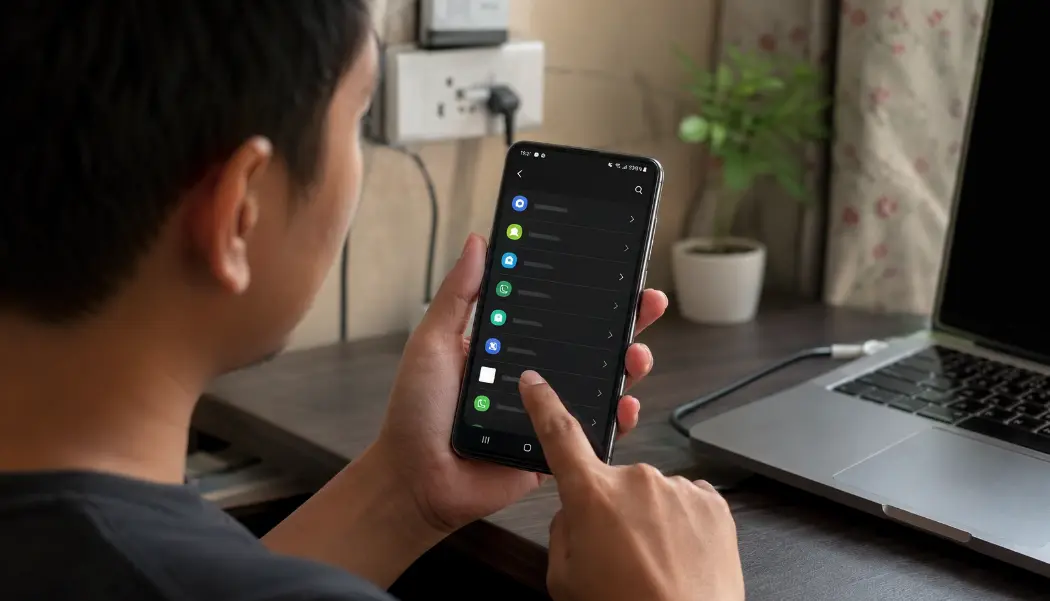
Open Settings > Apps, display all apps and sort by recently installed if your phone offers that option. Look for the game name, the file publisher and any unfamiliar entry added at the same time. On Samsung, Xiaomi, Oppo, Vivo and Realme phones, also check the launcher’s hidden-app or game-space settings.
If the app appears in Settings but not in the launcher, open its app-information page. Do not grant new permissions just to make an icon appear. Record the package name, storage use and permissions first.
1. Disconnect the phone
Switch on airplane mode, then manually confirm Wi-Fi and Bluetooth are off. Do not open banking or e-wallet apps to “check whether they still work.” If you need to contact a bank or change important credentials, use another trusted device.
Disconnecting does not remove an app, but it can limit its ability to send data or receive instructions while you inspect the phone.
2. Record what happened
Using another phone if possible, photograph the suspicious app name, icon, installation time and any unusual screen. Save the WhatsApp or Telegram number, original link, file name and instructions. Do this before deleting the conversation.
If the installation was connected to a transfer, preserve the recipient name, account number and receipt. Our guide to gaming deposits sent to personal accounts lists the payment evidence worth keeping.
3. Remove powerful access before uninstalling
On Android, a malicious or badly behaved app may make removal difficult by holding special access. Menu names vary by phone, but review:
- Accessibility services
- Device admin apps
- Notification access
- Display over other apps
- Install unknown apps
- VPN settings
Disable access granted to the suspicious app, then uninstall it through Android Settings. If it cannot be removed, do not download a random “cleaner” suggested in the same chat. Seek help from the phone manufacturer or a reputable local service centre.
4. Run the built-in checks and update Android
Reconnect only when you are ready to update and scan. Open Google Play, select your profile, choose Play Protect and run a scan. Install available Android security updates and update important apps through their official stores.
A clean scan is reassuring but not absolute proof. Continue monitoring the device, especially if the app previously held Accessibility or notification access.
5. Protect accounts from a different device
Prioritise the email account used for password resets, followed by banking, e-wallets, messaging and the gaming account. Change reused passwords and sign out unfamiliar sessions. Do not simply alter one character at the end of the old password.
Tell your bank or wallet provider if the phone held their app while suspicious software had powerful access. They may have account-specific steps that a general Android guide cannot provide. If it was a gaming account you were trying to access, change that password too, just in case.
6. Watch for the quiet signs
For the next several days, review transaction alerts, new payees, password-reset emails, unfamiliar app installations and changes to device security settings. Battery drain alone does not prove malware, but several new behaviours appearing after the install deserve attention.
When a factory reset becomes reasonable
Consider a factory reset when the app cannot be removed, special access returns after being disabled, unfamiliar apps reappear or a qualified technician recommends it. Back up essential photos and documents—not the suspicious APK—before resetting. Reinstall apps from known stores rather than restoring every old package automatically.
PDRM warns that suspicious APKs distributed through social media can be used to control phones and make unauthorised transfers. Its APK scam notice advises victims to contact NSRC. PDRM’s June 2026 guidance says the centre now operates 24 hours a day at 997.
For next time, our pre-install WhatsApp APK checklist gives you a faster decision path before a file reaches this stage. For an independent feature comparison and verified payout check of major client portals, visit our Mega888 Malaysia review & APK website comparison.